Tonight's special, with @So
Nora Brand Kit
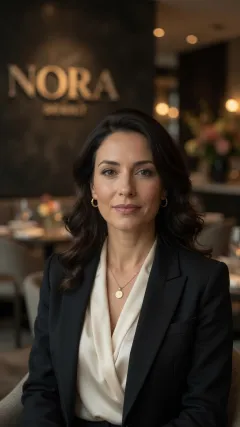 @SofiaCharacter
 @NoraLogoLogo
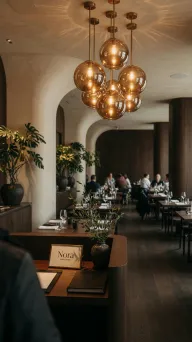 @NoraDiningRoomLocation
Brand Kit
Save your people, logo, products, and places once. Type @ in any prompt to use them.
 Agenda Pandamakes on-brand AI video
Save your characters, logo, and look once, for one brand or fifty. @mention them in a prompt and get images and talking videos with the same face, the right logo, and the exact words you wrote.
@SofiaCharacter@NoraLogoLogo@NoraDiningRoomLocationSave your people, logo, products, and places once. Type @ in any prompt to use them.
Run every brand from one workspace. Brands and seats are unlimited on every plan.
Studio builds the shot from the real assets, not from a guess.
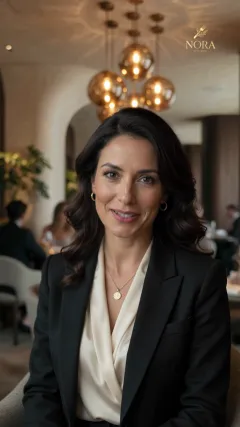
Save a character once and put them anywhere. Same face, same look, every take.
 MiniMax H3 Max
 Kling 3.0 Pro
 Seedance 2.5
 Grok Imagine 1.5+19 more
Studio sends each shot to the model that handles it best. You can still choose.
Turn an on-brand image into a vertical video where they say exactly the lines you wrote.
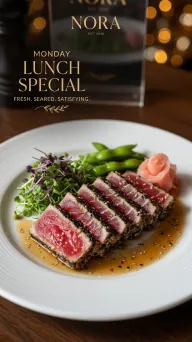 Lunch specialNora · Mon, 11:30Approved
Scheduling and publishing are free, with no per-channel or per-brand fee. Nothing posts until you approve it. You only pay for AI media, which requires a paid plan.
Unlimited brands, seats, and publishing on every plan. One AI budget covers images and video, spent however you like.
Every plan: images, video, and captions · unlimited brands and team members · scheduling and publishing included. One AI budget, spent however you like. Image counts use Meta Muse Image, our lowest-cost image model; video counts use 8-second clips on MiniMax H3 Max, Studio's default. Premium models use more.
Save your brand once, make on-brand images and talking videos from one prompt, and approve every asset before it goes anywhere.
Running many client brands? Book a 30-min call · (855) 697-0009 · WhatsApp